CardLLM App Icon

Learn Vocabulary,
Magically.

CardLLM uses on-device Apple Intelligence to turn every word you encounter into a learning opportunity. Capture, understand, and master vocabulary — all without your data ever leaving your iPhone.

學單字,
就是這麼神奇。

CardLLM 運用裝置端 Apple Intelligence,將你遇到的每個單字轉化為學習機會。擷取、理解、掌握詞彙——所有資料都不會離開你的 iPhone。

iOS 26 • Apple Intelligence iOS 26 • Apple Intelligence 裝置
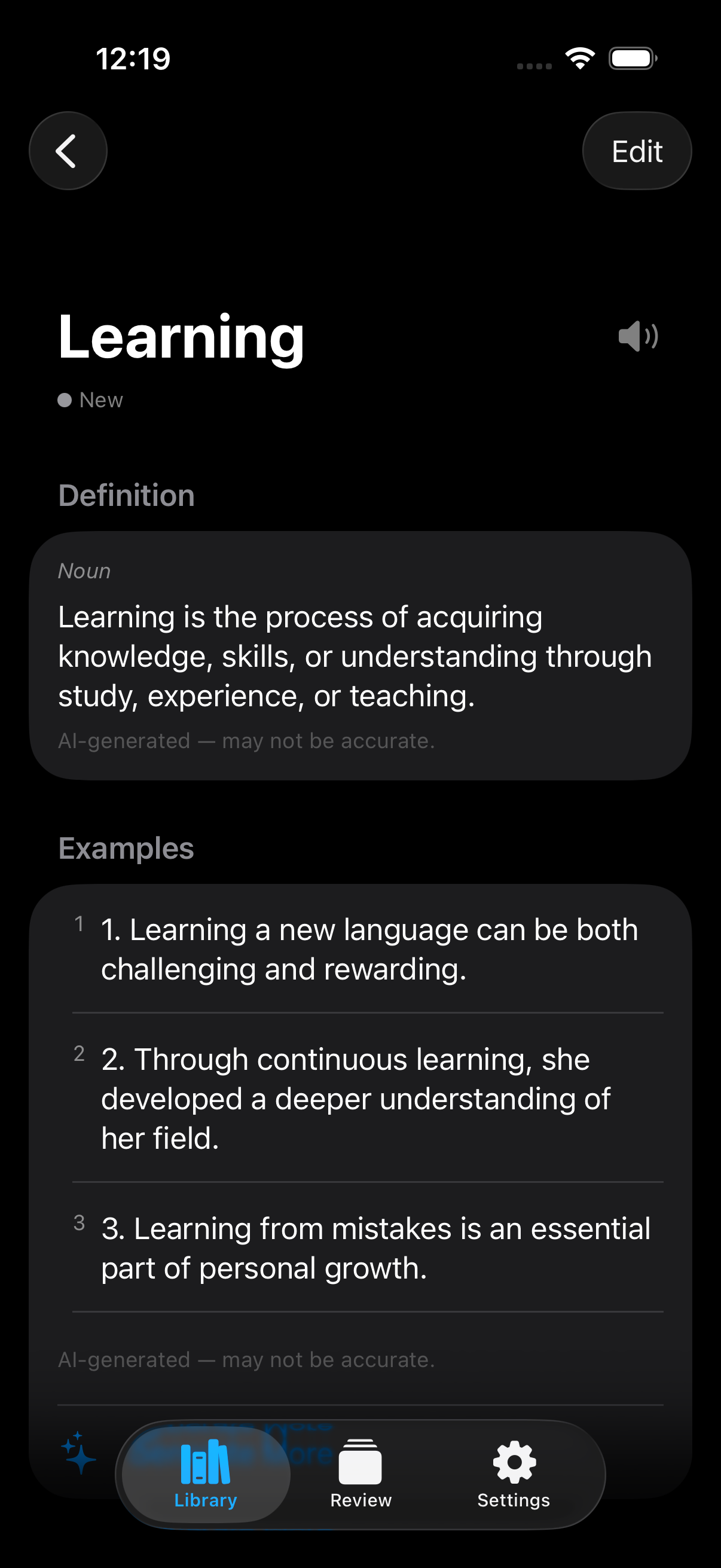
CardLLM Word Detail View showing AI-generated definition and example sentences

The Problem

Learning vocabulary shouldn't feel like a chore.

You encounter new words everywhere — in articles, textbooks, and conversations. But traditional methods make it painful to actually learn them.

Manual Entry Takes Forever

Typing definitions one by one into spreadsheets or flashcard apps kills your reading flow and motivation.

Flashcards Without Context

Memorizing isolated words without real sentences is like learning to swim on dry land — it just doesn't stick.

Privacy Concerns

Most learning apps send your data to the cloud. Your vocabulary reveals your interests, profession, and even your weaknesses.

痛點

背單字,不該這麼痛苦。

你在文章、課本和對話中不斷遇到新單字,但傳統方法讓記單字變成一件無比乏味的事。

手動輸入太花時間

一個一個把定義打進試算表或字卡 App,不但打斷閱讀節奏,更消磨學習動力。

背單字缺乏語境

只死記孤立的單字,沒有真實例句輔助,就像在陸地上學游泳——根本記不住。

隱私令人擔憂

大多數學習 App 會將你的資料上傳雲端。你的單字庫透露了你的興趣、職業,甚至弱點。

Features

Everything you need to learn vocabulary effectively.

功能特色

有效學習詞彙所需的一切。

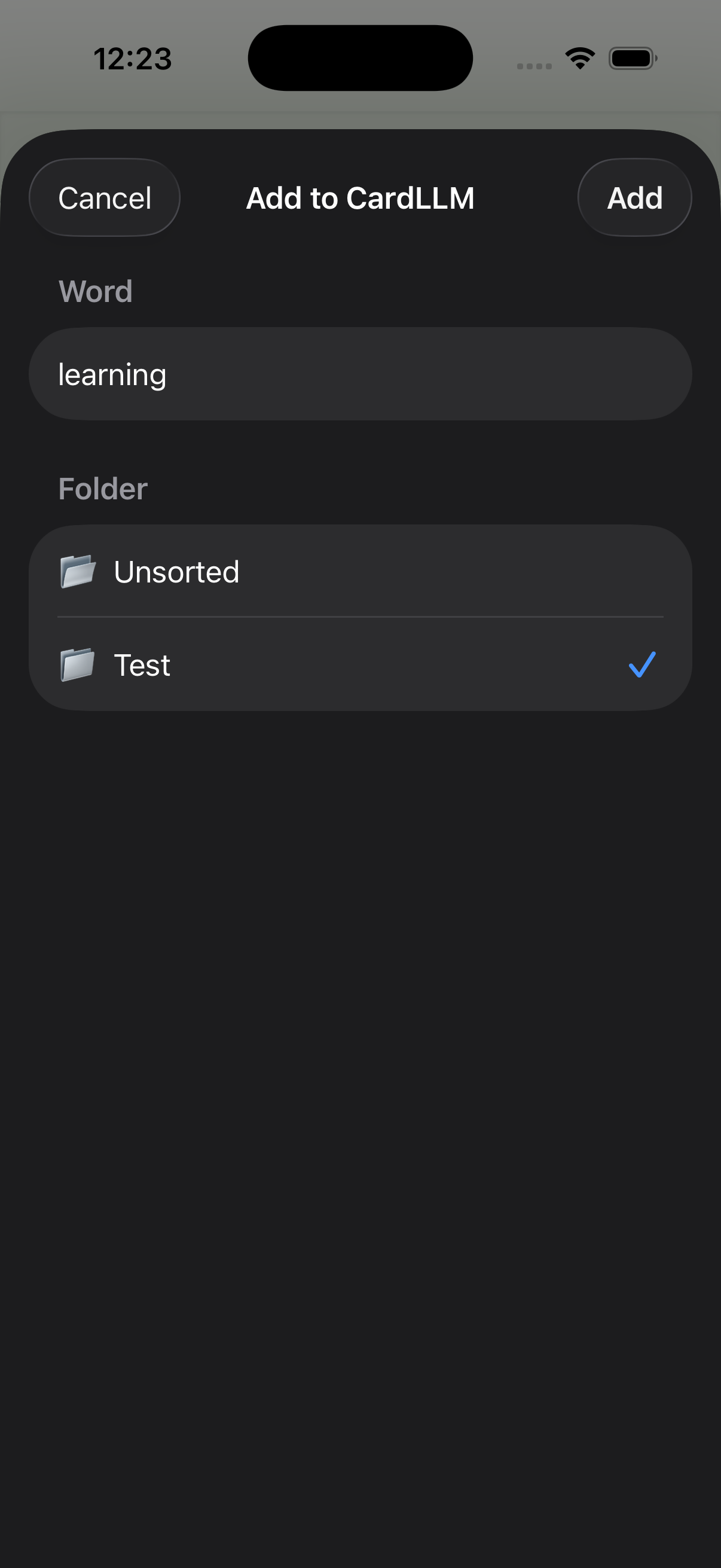
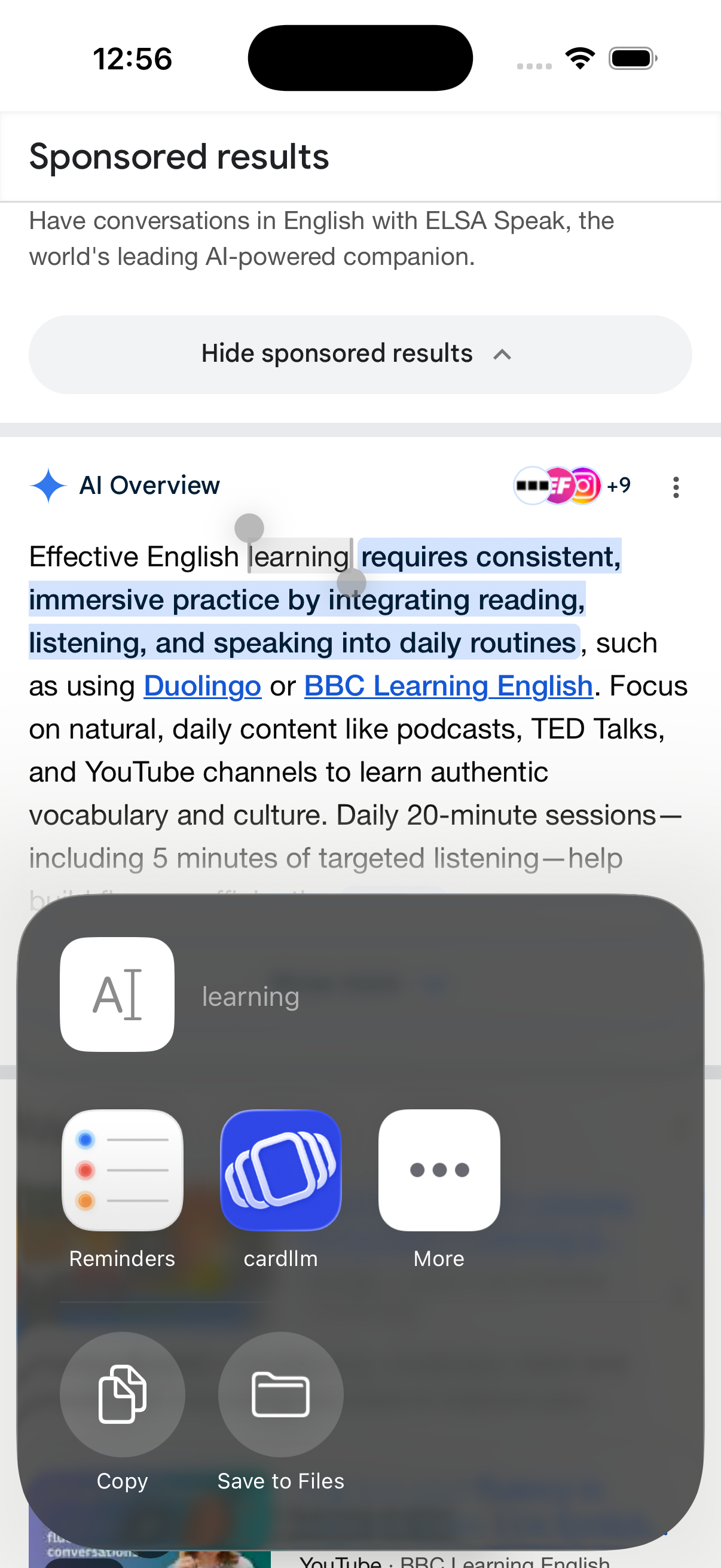
CardLLM Safari Extension — save words while browsing
Capture

Save words from anywhere — instantly.

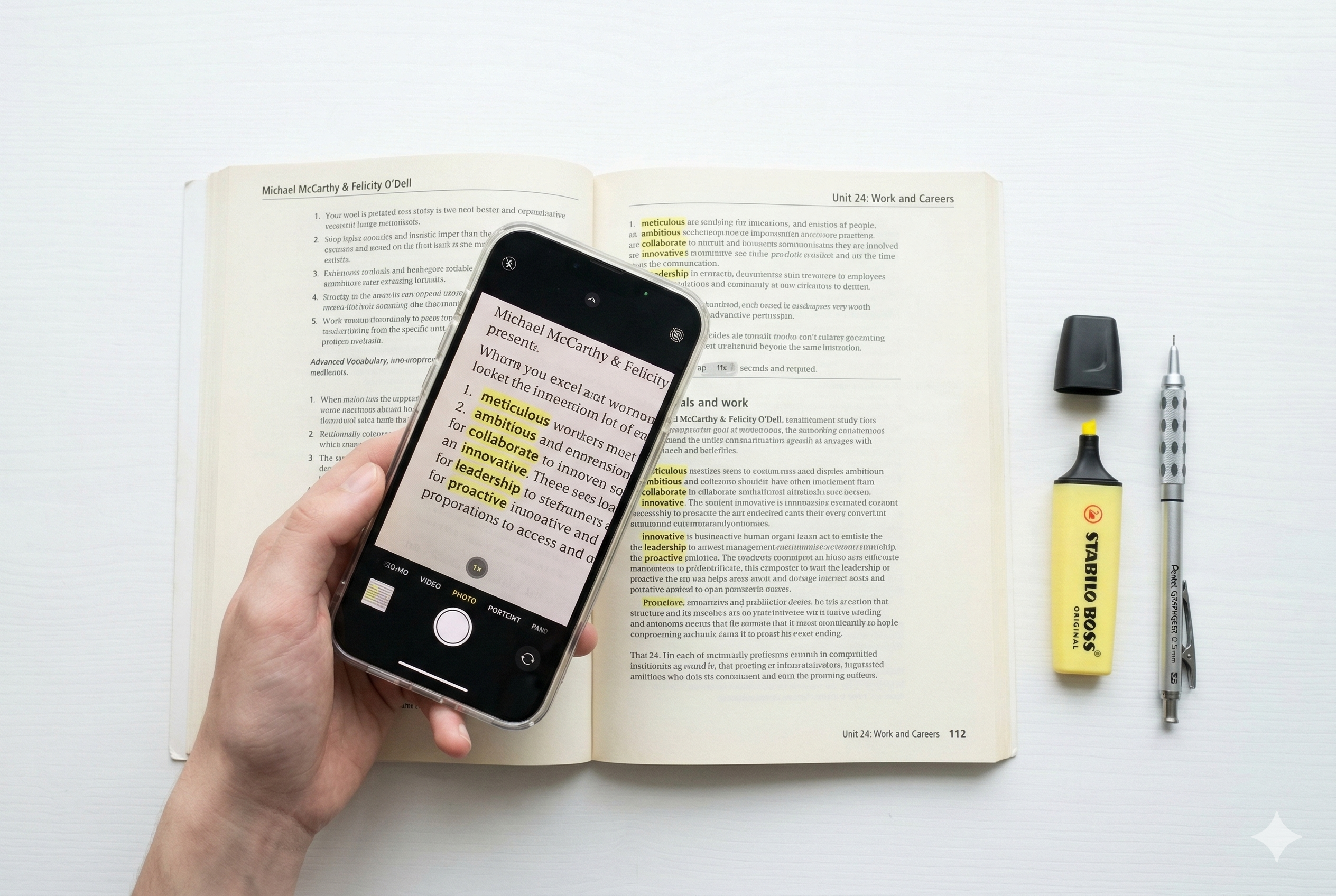
Reading an article in Safari? Long-press any word and share it directly to CardLLM. Studying a textbook? Point your camera and scan. The app fits into your natural reading flow — no interruptions, no switching apps.

  • Safari Share Extension for seamless capture
  • OCR camera scanning for printed text
  • Organize into folders by topic or source
擷取

隨時隨地,一鍵收錄單字。

在 Safari 閱讀文章?長按單字即可直接分享到 CardLLM。翻閱課本?用相機掃描就好。完美融入你的閱讀流程——不打斷、不切換。

  • Safari 分享擴充功能,無縫擷取
  • OCR 相機掃描印刷文字
  • 依主題或來源分資料夾整理
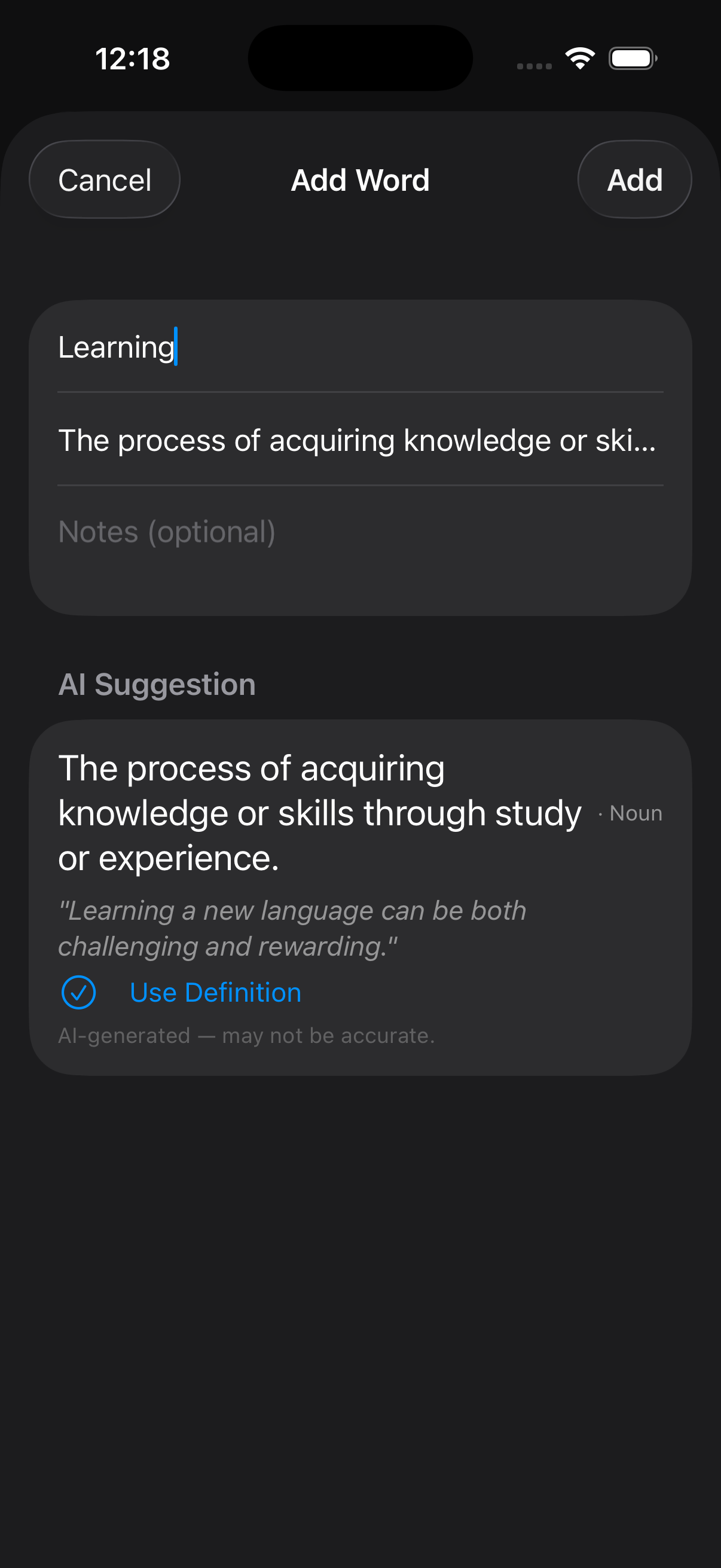
CardLLM AI-powered word entry with instant definition suggestions
Understand

AI-powered definitions and real-world examples.

Apple Intelligence runs entirely on your device to generate clear definitions and natural example sentences for every word. See how words are actually used — not just what they mean.

  • On-device AI — no internet required
  • Contextual example sentences
  • Part-of-speech tagging
理解

AI 生成定義與真實語境例句。

Apple Intelligence 完全在你的裝置上運行,為每個單字產生清晰的定義與自然的例句。看看單字在真實語境中如何使用——不只是知道意思。

  • 裝置端 AI 處理——不需網路
  • 語境化例句
  • 詞性標注
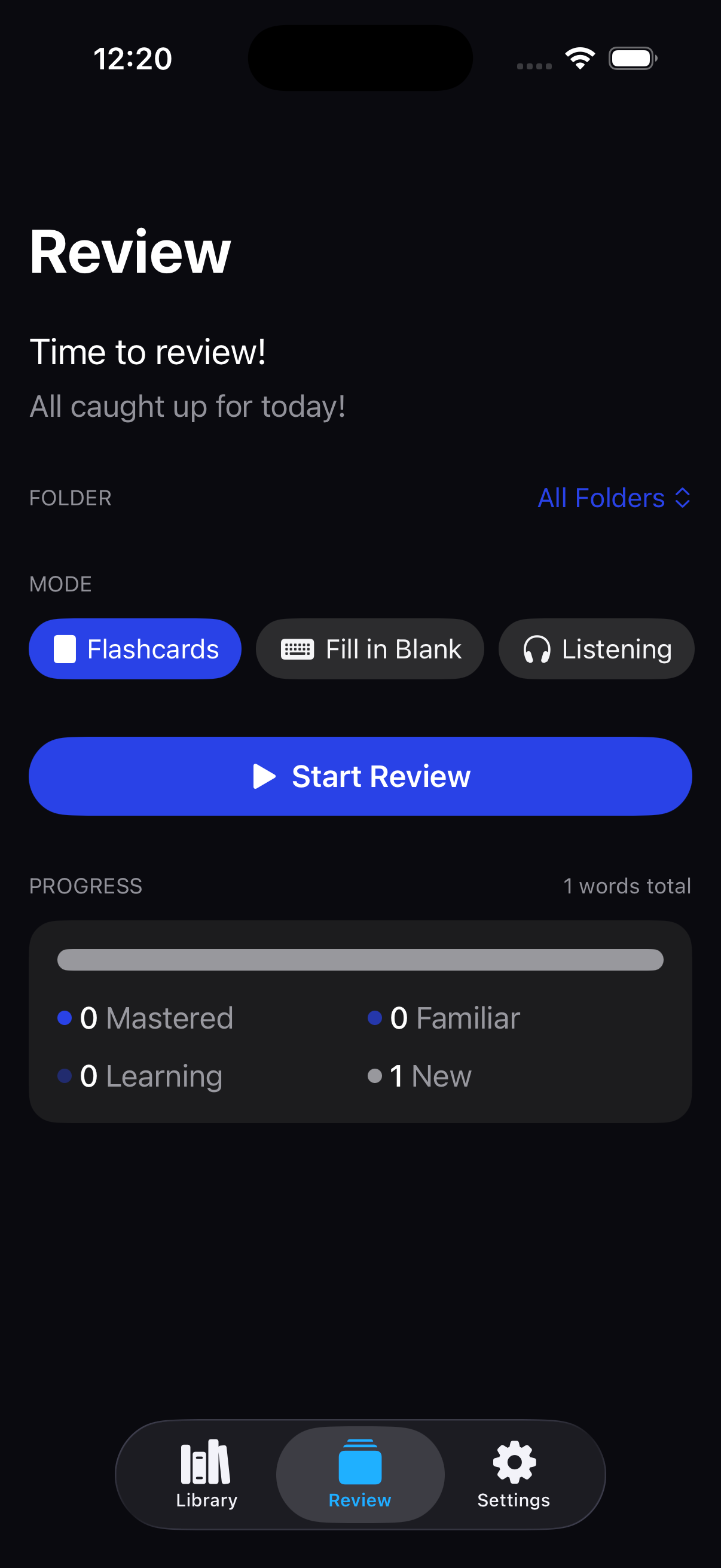
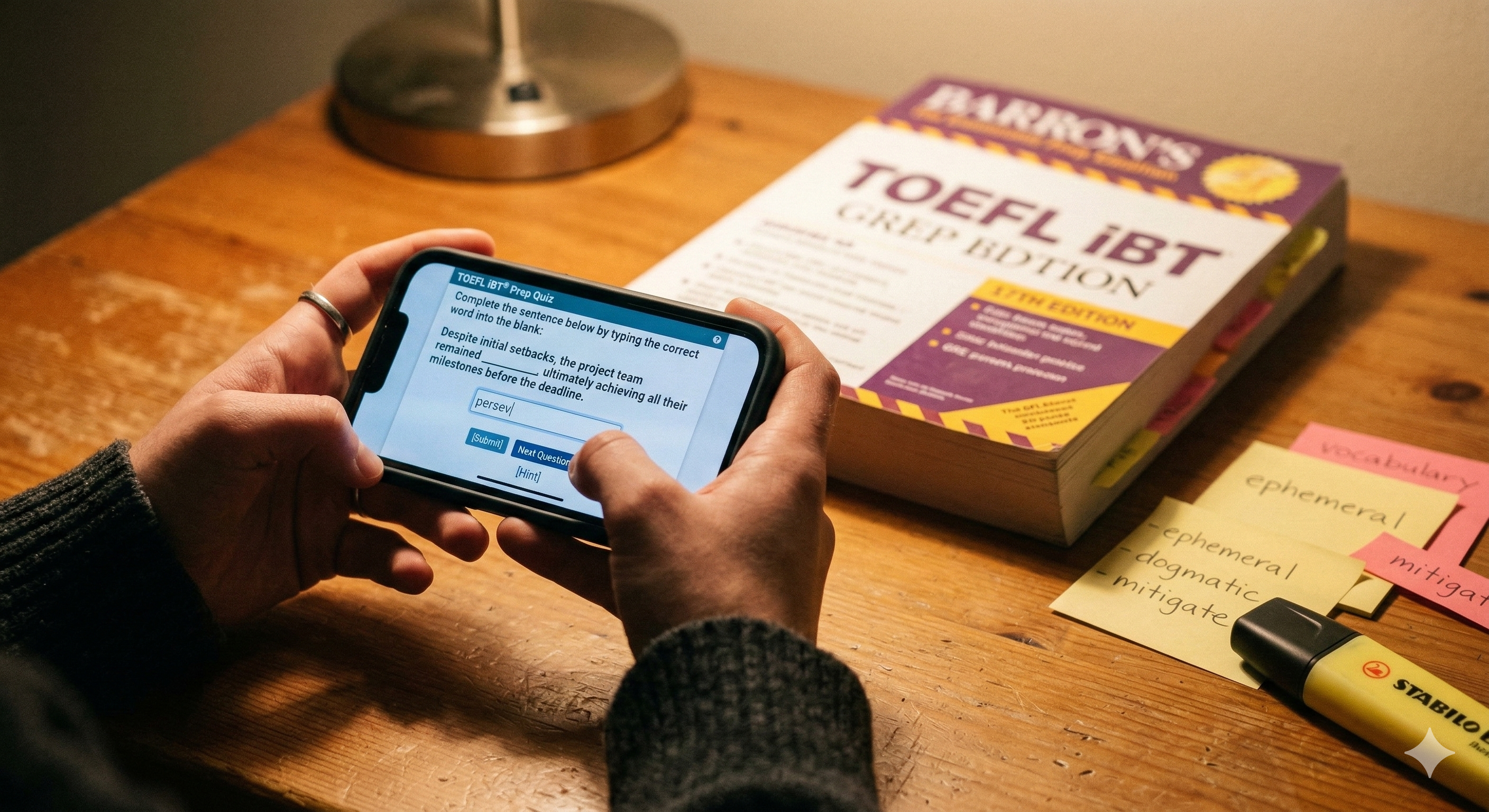
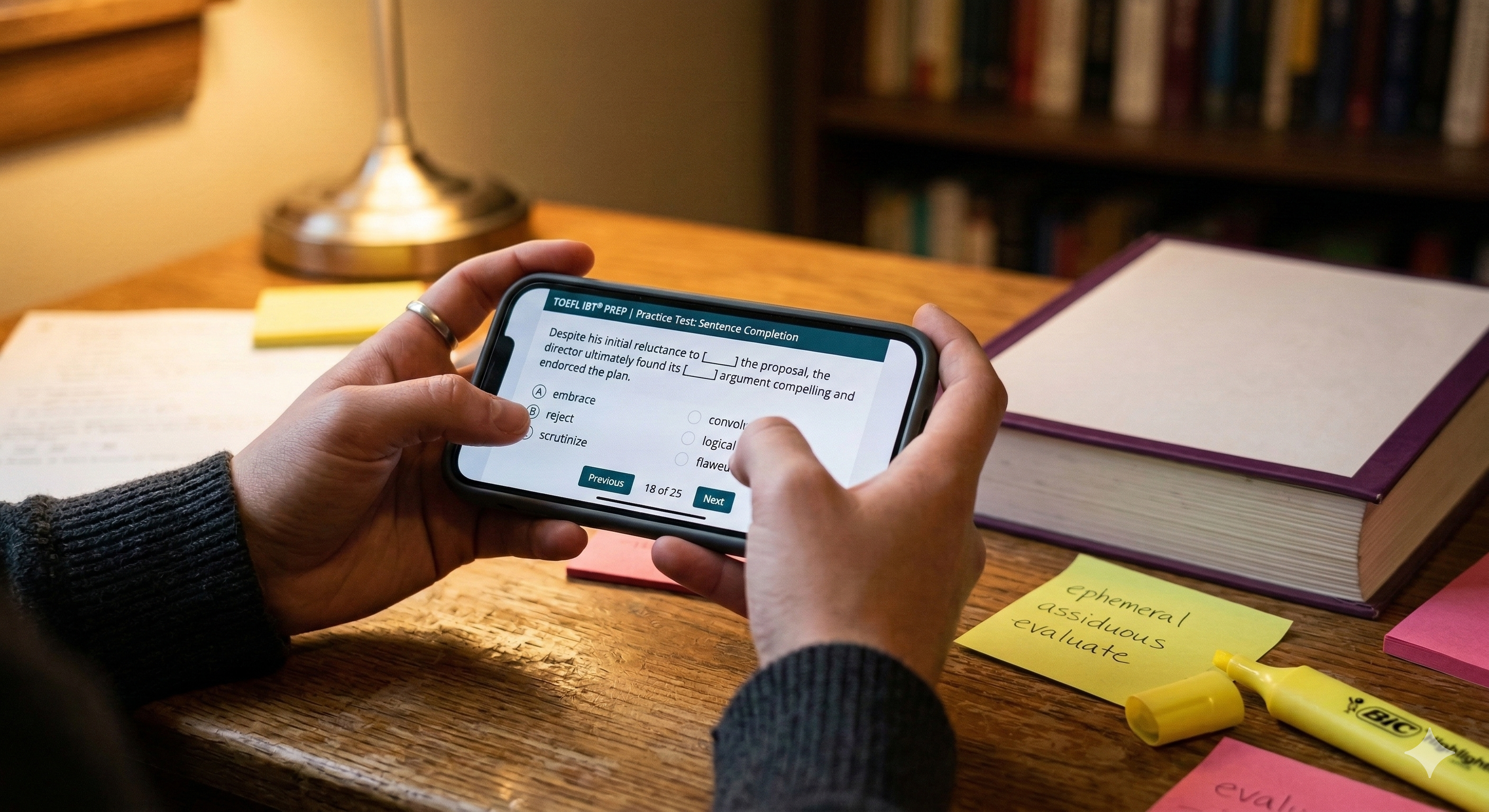
CardLLM Review Mode with flashcards and quiz
Master

Review smarter, not harder.

Spaced repetition ensures you review words right before you forget them. Choose between interactive flashcards and fill-in-the-blank quizzes — CardLLM schedules everything so you focus on what matters.

  • Flashcards, fill-in-the-blank, and listening modes
  • Smart scheduling reviews at the right time
  • Mastery tracking from New to Mastered
精通

聰明複習,事半功倍。

智慧排程確保你在遺忘前複習每個單字。字卡翻轉、填空測驗、聽力練習——CardLLM 幫你安排一切,讓你專注在真正需要的地方。

  • 字卡翻轉、填空測驗與聽力練習三種模式
  • 智慧排程,在最佳時機複習
  • 從「新單字」到「已精通」的學習進度追蹤

How It Works

From discovery to mastery in four simple steps.

使用方式

從發現到精通,只需四個步驟。

1
Encountering a new word in Safari

Encounter

遇見

Find a new word while reading, browsing, or studying.

閱讀、瀏覽或學習時遇到新單字。

2
Adding word to CardLLM via Share Extension

Capture

擷取

Share it to CardLLM with one tap. Choose a folder and you're done.

一鍵分享到 CardLLM,選擇資料夾即完成。

3
AI generates definition and examples

Enrich

充實

AI instantly generates definitions and example sentences on your device.

AI 在你的裝置上即時生成定義與例句。

4
Review and master with spaced repetition

Master

精通

Review with flashcards and quizzes. Spaced repetition handles the scheduling.

透過字卡與測驗複習,間隔重複幫你安排最佳時機。

Privacy First

Your words stay yours. Period.

CardLLM processes everything on your device using Apple Intelligence. No cloud servers, no data collection, no tracking. Your vocabulary is deeply personal — we treat it that way.

隱私至上

你的單字,只屬於你。

CardLLM 透過 Apple Intelligence 在你的裝置上處理所有內容。沒有雲端伺服器、不收集資料、不追蹤。你的詞彙是極度私密的——我們也這樣看待。

On-Device AI

裝置端 AI

Apple Intelligence runs locally. Your data never touches a server.

Apple Intelligence 在本地運行,你的資料絕不經過伺服器。

No Data Selling

不販售資料

Your vocabulary data is never sold or shared. Ads are served by Google but your words stay private.

你的單字資料絕不會被販售或分享。廣告由 Google 提供,但你的詞彙完全保持隱私。

Local Storage

本地儲存

All your data lives on your iPhone — encrypted by iOS automatically.

所有資料儲存在你的 iPhone 上——iOS 自動加密保護。

Go Ad-Free

一次買斷,永久無廣告

Free to use with ads. One-time purchase to remove them forever — no subscriptions.

免費使用含廣告,一次購買即可永久去除廣告——無訂閱制。